
We put together an Adobe Space for a promotional email this month but what we really love about the tool is how we might use it for client newsletters, especially for those who need to summarize legal developments.
In sum, Adobe Spaces is a curated AI workspace. Upload up to 100 documents to the space and produce summaries of that content, insert images, custom text, and so on. Firms can demonstrate expertise (curated content) even while their clients can independently explore the underlying material. Set up is simple.
Set up your alerts: Case law, bills, proposed regulations, public comments, news, whatever… There are ways to automatically send results from, say, your Westlaw alerts to your Adobe account but I’m not sure we’d recommend this. This is a good place to be a human-in-the-loop. Review and annotate the document yourself before uploading to your Adobe Space. This hands on approach keeps you in the loop and maintains your status as the subject matter expert, especially if you annotate the documents.
Upload: Upload these resources to your Adobe Space. Simple.
Configure: Think creatively about how to configure your space; add audio summaries, images, interactive workbooks. Highlight documents you feel are important. Add your own writing.
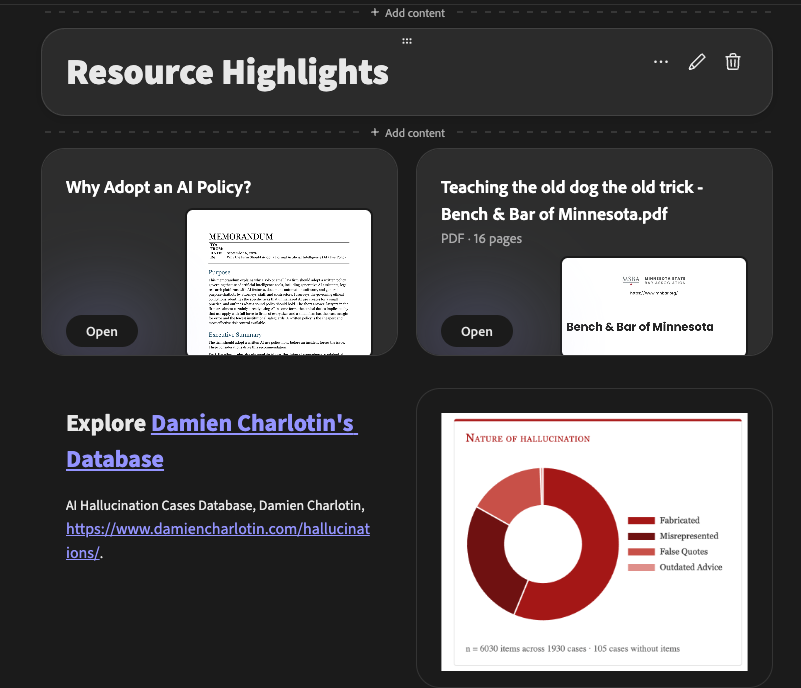
Share: Grab the share link and drop it into your email. Your emails will be shorter, pithier while the the Spaces content will be interactive and engaging. Our sample Adobe Space (the promotion) wasn’t meant for newsletter content but the email might look something like this:
Welcome to this month’s AI Ethics for Lawyers.
Don’t miss the brave confession of a lawyer burned by hallucinations in “Teaching the Old Dog the Old Trick” from Bench & Bar of Minnesota. And be sure to check out our update of the legislative landscape.